
Search Engine Optimization (SEO) is the universal way to grow our website traffic organically without sharing the content anywhere.
If you want to rank your article, post or website on Google and get more visitors for more earnings, SEO is essential for your platform.
According to me, "SEO is a Goldmine for content owners". Because a good website can't give you more views, but an average website with good SEO will always give you more views with high earnings.
How SEO Works?
If you write the best SEO in your article only one time, you don’t need to share the post again and again for views.
But if you don’t write perfect SEO in your article, then you will need to improve your article many times.
Four Steps of SEO (Search Engine Optimization)
- Find best keyword
- Write best content based on keyword
- Write perfect SEO (natural words) in content
- Upload on your platform
Step 1: Keyword Research (Foundation of SEO)
Keyword research is the first and most important step in SEO. If you find a bad keyword and then write 1000+ words of content on it with better SEO, you will not rank at the top.
How to Find SEO Keywords
- First, select the topic according to your website, for example: News, Health, Stock market websites.
- Then use tools like Google Keyword Planner, Ubersuggest, or Ahrefs
- And a more free and universal tool is “Google Search Bar”, and people don’t know the power of this tool. We will discuss about this further.
- Third tool for keyword research is competitor websites.
Types of Keywords (LSI Keywords Included)
Primary keyword: how to do SEO for a website. Long-tail keywords: SEO step by step for beginners, website SEO guide, LSI keywords:
- SEO optimization techniques
- on-page SEO checklist
- technical SEO basics
- improve website ranking
Tip: Always choose low competition + high search volume keywords.
LSI Stands for “Latent Semantic Indexing”. The keywords are related words and phrases that help search engines understand the context of your main keyword. LSI keywords are not exact keywords, but closely related terms that naturally support your topic.
Example Based on Your Main Keyword:
Your main keyword:
“How to do SEO for a website”
Now Google expects your content to also include related ideas like:
- SEO methods
- ranking techniques
- optimization steps
- website traffic
- Google ranking
These related terms are what we call LSI keywords.
Also Read Other Topics:
➤ How To Deploy Serverless Functions with Python in 2026 (Step-by-Step Guide)
➤ Mojo Language for Memory-Safe High-Performance AI Workloads
➤ Complete Guide About Architecture of Artificial General Intelligence (AGI) 2025
Step 2: On-Page SEO Optimization
On-page SEO means optimizing content and structure inside your website to rank higher on Google and get more traffic.
PART 1: Optimize Title Tag and Meta Description
- Include your main keyword in the title
- Keep title under 60 characters
- Write a catchy meta description
- Write powerful Slug for professional URL
Let’s see the Example:
- Title: How to Do SEO for a Website Step by Step
- Meta Description: Learn a complete SEO guide to rank your website on Google. (Writes only 150–160 characters and includes the keyword naturally)
- Slug: This is the page URL after your domain name.
✔ Good Slug:
boxoflearn.com/seo-step-by-step-guide
❌ Bad Slug:
boxoflearn.com/page?id=123

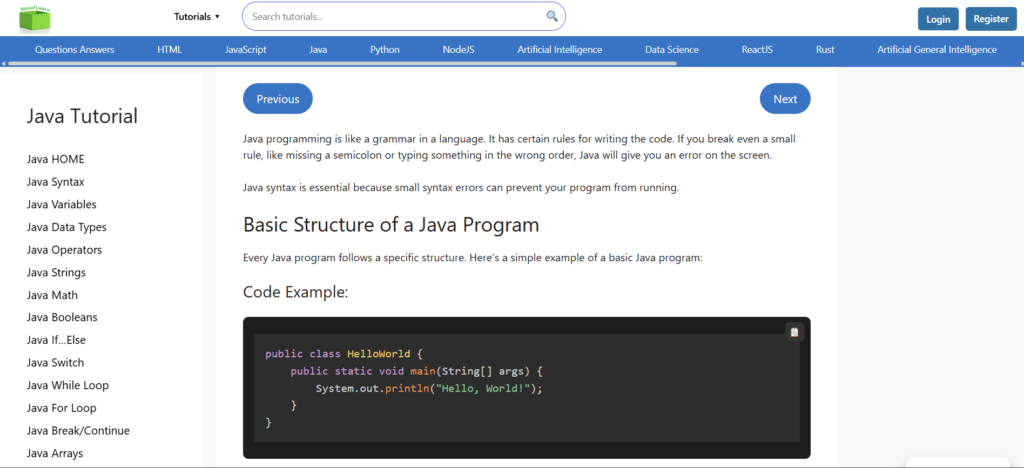
- You can see the SEO title and meta description in the above image. This is a part of Google results, and increases the CTR (Click Through Rate).
b) On-Page SEO in Our Whole Content
H1, H2, H3, H4, Paragraphs, LSI keywords all of the things will also consider in On-page SEO.
PART 2: On-Page SEO Inside Content
This is where most people make mistakes. This is the core SEO.
1) H1 Tag (Main Heading)
- Write only one H1 title per page
- Must include your main keyword in H1
Example:
- “How to Do SEO for a Website Step-by-Step”
- Purpose: This title tells Google the main topic of your page.
2) H2 and H3 Tags (Structure)
- H2 is the main sections on your content
- H3 is the Subsections of H2 title
- Sometimes you will have sub topics of H3 title, then you can use H4 title.
Now the most important thing is, must place your keyword and LSI keyword in:
- Title
- H1
- First 100 words
- H2/H3
- Meta description
- URL
Pro Tips: Remember always one thing, don’t overuse keywords. means do not write keywords more often in your content. Just writes like naturally.
If you want to rank your keyword on google so, always write 600+ words of content on it. and try to write 900+ words. But don't write only 400 or 500 words.
Keyword Usage Based on Content Length
| Content Length | Ideal Keyword Usage (Main Keyword) | Safe Range | Notes |
|---|---|---|---|
| 600 words | 6 times | 5 – 9 | Beginner articles |
| 900 words | 9 times | 7 – 13 | Best for blog SEO |
| 1200 words | 12 times | 10 – 18 | Strong ranking content |
| 1500 words | 15 times | 12 – 22 | High competition keywords |
How to Distribute Keywords (VERY IMPORTANT)
Don’t just repeat randomly, place smartly:
For any article:
- Title → 1 time
- H1 → 1 time
- First paragraph → 1 time
- H2/H3 → 2–3 times
- Content body → remaining times naturally
- Meta description → 1 time
👉 This makes your SEO look natural (Google-friendly)
3) Content (Most Important)
Your content should be:
- 100% unique
- Helpful and informative (also meaningful)
- Easy to read
- Focused on user intent
- Writes 800–1500+ words (for ranking articles)
4) Paragraph Optimization
- Use simple language, don’t make it harder to read.
- Avoid big blocks of text and write only 2-3 line paragraphs.
5) Internal Linking
Link your page to other pages on your website. Put many more internal links in your content. This strategy will improve our page views and ranking because users will redirect and read multiple pages from a single post.
Internal linking also improve our Indexing and helps Google crawl your site.
6) Image SEO
- Add ALT text in images, because sometimes images do not load, so ALT text will help users to understand what the images are about.
- Use a keyword in ALT (if relevant); this will also boost your post.
- Compress images, which means make the image readable and professional.
7) Readability & User Experience
- Use bullet points
- Use headings
- Use simple English
- Make content scannable
Step 3: Off-Page SEO (Backlink Building)
Off-Page SEO is about building the authority of your website through backlinks.
Its simple meaning is: “Signals from other websites that tell Google your site is trustworthy and important.”
What are Backlinks?
Backlinks are links to your website pages and posts that are added by multiple websites. For example, other platforms put your site’s link on their platform.
Backlinks are important because Google sees your site as trustworthy and serves meaningful content to the users
If you write the best SEO content, other platforms see that and copy your SEO post URL and paste it into their site.
Types of Backlinks
1. DoFollow Backlinks (Most Powerful)
- A DoFollow backlink is a normal link that passes SEO value (link juice) from one site to another.
- It tells Google: “This website is trusted, you can rank it higher”
- Google follows the link, then Authority passes to your site, and Ranking improves
2. NoFollow Backlinks
- A NoFollow backlink tells Google: “Do not pass SEO value to this link”
- This means Google does not pass ranking power. The link still exists, but users can still click it.
Difference Between DoFollow vs NoFollow
| Feature | DoFollow | NoFollow |
|---|---|---|
| Pass SEO value | ✅ Yes | ❌ No (or very little) |
| Helps ranking | ✅ Strong | ⚠️ Indirect |
| Google follows link | ✅ Yes | ⚠️ Sometimes |
| Traffic benefit | ✅ Yes | ✅ Yes |
| Use case | SEO growth | Natural profile |
NoFollow Backlinks means you will get views from other sites, but not get direct ranking from those sites.
The biggest things that the developer missed are the UI of websites. If you want to get user attention, you must have a good User Experience. So always make your site easy to understand and smooth.
- Added a simple colour to your site.
- Make all functionality clear and understandable.
- Always writes content in the best fonts.
- Set all post content in their respective categories.
Also Read Other Topics:
➤ How AGI Performs Reasoning Like Humans?
➤ What Is Perception In Artificial General Intelligence (AGI)?
➤ What Is an Artificial General Intelligence (AGI)?

M.Sc. (Information Technology). I explain AI, AGI, Programming and future technologies in simple language. Founder of BoxOfLearn.com.